Module · Samhita Pradarshan

Briefings that respect
the seriousness of the room.

प्रदर्शन — प्रस्तुति

Decks that respect the formality of a review meeting — clean templated layouts for Cabinet briefings, parliamentary submissions and inter-ministerial reviews.

Inside the module

What the officer actually sees.

Every module of SamhitaOffice carries a colour — a quiet visual rhythm that helps the office recognise the right tool at a glance.

It works the way Indian offices already work — long-form, footnoted, bilingual, archival. Not a consumer editor; a tool for records that outlive the people who file them.

And like the rest of the suite, it stays inside your air-gapped network. Nothing is sent out. Nothing requires a cloud login. The document is yours alone.

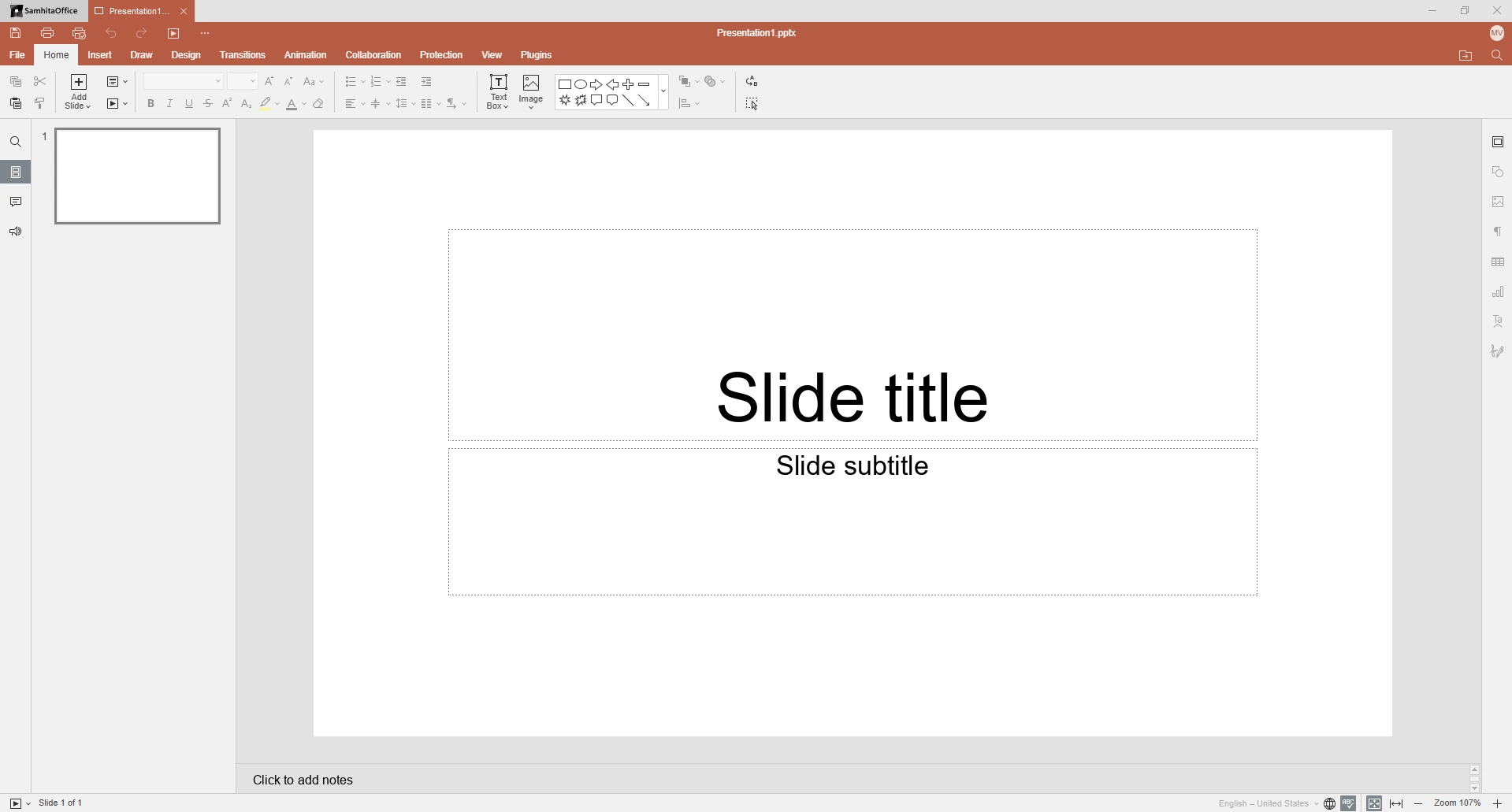
Original Samhita Pradarshan presentation editor with slide workspace
What Pradarshan does

The deck as an instrument of governance, not a marketing slide.

Briefings for the Secretary's Table

Pradarshan is built around the cadence of a senior officer's review — a clear opening, a numbered set of decisions sought, supporting data slides, annexure references and a one-line ask.

  • Decisions-sought structure
  • Bullet hierarchy that auto-aligns
  • Numbered annexure references
  • Quiet, dignified type

Cabinet & Parliament-Style Submissions

Templates that match the conventions used for Cabinet notes, Parliamentary Standing Committee submissions and inter-ministerial reviews — sober colour, clear sectioning, no consumer-style gloss.

  • Cabinet-note layouts
  • Standing Committee submissions
  • Inter-ministerial review decks
  • Mute, archival palette

Speaker Notes & Handouts

Every slide carries speaker notes for the officer presenting and handout notes for the room — printable in a clean black-and-white format suitable for circulation.

  • Speaker notes per slide
  • Printable handout layout
  • Black-and-white print mode
  • Page numbering for handouts

Offline Export, Always

Export to PDF/A for archival or to a compact offline presenter that runs on the briefing room laptop — no cloud account, no internet check, no third-party viewer required.

  • PDF/A archival export
  • Offline presenter mode
  • Embedded fonts & images
  • Stable across rooms
Pre-Built Template Support · 20 Templates

Twenty briefing decks for review meetings and departmental reporting.

SamhitaPradarshan includes 20 pre-built presentation templates for government-style reporting and communication — clean layouts for review meetings, project briefings, scheme updates and training sessions.

  • T-01Department Review Presentation
  • T-02Project Status Presentation
  • T-03Scheme Progress Presentation
  • T-04Procurement Briefing
  • T-05Training Presentation
  • T-06Monthly Performance Review
  • T-07Inspection Summary
  • T-08Budget Review Presentation
  • T-09Administrative Proposal
  • T-10Public Service Delivery Report
  • T-11Policy Brief
  • T-12Meeting Briefing Deck
  • T-13Cabinet-Style Note Deck
  • T-14Quarterly Outcome Review
  • T-15Audit Observation Briefing
  • T-16Inter-Ministerial Review
  • T-17Annual Report Highlights
  • T-18Field Visit Summary
  • T-19Scheme Launch Briefing
  • T-20Capacity Building Session
Inside Samhita Pradarshan

The deck as a working instrument, not a slideshow.

Pradarshan is tuned for the rhythm of an Indian review meeting — sober palette, dense information, predictable structure, and a print-out for every officer in the room.

Master Slide System

Hierarchical masters with department crest, file number, classification banner and footer running on every slide automatically.

Smart Layouts

Auto-fitting bullet hierarchies, two/three-column comparators, decision matrices and annexure pointers that re-flow when the officer edits text.

Bilingual Typography

Mixed Hindi-English slides with paired font sizing — Devanagari upscaled by 10% so it reads at the same optical weight as the Latin script beside it.

Data Linking

Live-link tables and charts from a Hisab workbook; refresh the source and every dependent slide updates in place, with the old values archived.

Presenter Mode

Officer view shows current slide, next slide, speaker notes, elapsed time and a one-click jump to any annexure — works on a single screen or extended display.

Export & Print

Export to PDF/A, .pptx, .odp or a self-contained offline presenter .exe. Handouts in 1/2/3/6-up layouts with notes lines for the briefing table.

Technical specifications
Slides per deck
Up to 500
Master layouts
24 built-in
Transition types
Minimal · None · Fade
Export formats
PDF/A · PPTX · ODP · EXE
Handout layouts
1 / 2 / 3 / 6-up
Runs on
Windows · Linux (BOSS, Ubuntu)